Product line and configuration comparison
XTac UMI comes in two configurations that share the same XTac UMI G1 grippers and Pico4 Ultra Enterprise headset and record the same data:
- Backpack Kit: the backpack runs all collection and a tablet browser is the console; turnkey and built for large-scale field collection. The collection software is not open source.
- Developer Kit (open source): the grippers and headset connect straight to your collection PC and record with open-source LeRobot; built for research and algorithm teams who want to customize freely.
This page compares the two and lists each edition's box contents and wiring.
-
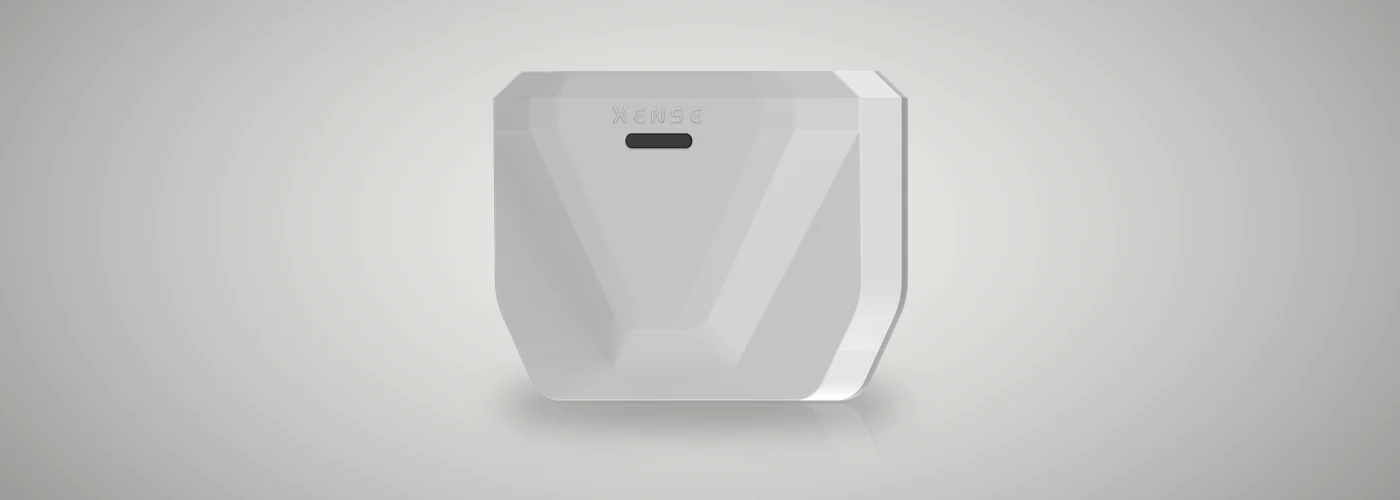
Backpack Kit
XTac UMI Backpack
The backpack is the host and a tablet the console; record with the gripper buttons and upload to ModelScope in one click.
-

Developer Kit
XTac UMI G1 Developer Kit (open source)
Plugs into your collection PC and records a LeRobotDataset; the collection software and SDK are open source.
How the two differ
| Backpack Kit · XTac UMI Backpack | Developer Kit · XTac UMI G1 Developer Kit | |
|---|---|---|
| Compute | The backpack in the box | Your own x86 collection PC, NVIDIA GPU recommended |
| Interface | Browser console; a tablet is enough | Terminal + Rerun preview window |
| Headset link | Type-C to the backpack, wired only | Type-C to the collection PC, wired by default |
| Recording control | Mainly the gripper buttons; the console works too | lerobot-record command line |
| Capture modes | Bimanual, optionally with headset stereo or right-eye images | Single gripper or bimanual, optionally with headset images |
| On disk | One MCAP raw recording per episode | LeRobotDataset v3 directly |
| Export and upload | Export per task as LeRobotDataset v3 / MCAP; download, or upload to ModelScope, S3, FTP, NFS and more | Push to the Hugging Face Hub |
| Upgrades | Import an update package in the console; can roll back | Update the repo or image |
| Customization | Not open source; build on the exported data | Open source (Apache-2.0); change the code, hook up your own robot |
| For | Large-scale data factories and field collection teams | Research and algorithm teams with their own training pipelines |
Box contents and wiring
| Item | Qty | Spec and notes |
|---|---|---|
| XTac UMI G1 leader gripper | 2 | One left and one right, told apart by the last digit of the serial number: odd is left, even is right |
| Leader gripper cable | 2 | Type-C to Type-C, 1.5m, one per side; locking connector at the gripper end, the other end into the backpack's UMI-L / UMI-R |
| Pico4 Ultra Enterprise headset | 1 | With controllers and trackers; the trackers mount on top of the two leader grippers |
| Tracker charging dock | 1 | Three-way |
| Headset cable (Pico → Pack) | 1 | Type-C to Type-C, 1.5m, headset to the backpack's PICO port |
| Backpack | 1 | Compute node with a built-in 5GHz hotspot (off by default) |
| Waist belt | 1 | For wearing the backpack |
| 12V power adapter | 1 | 12V 3A, 1.5m lead, into the backpack's DC port |
| Power bank | 1 | 20000mAh, 45W |
| 12V PD power cable | 1 | 0.3m, power bank to the backpack's DC port |
| Tablet | 1 | 6GB + 128GB, with case; serves as the console |
| Type-C charging plug | 1 | PD fast charging, 100W |
Use the adapter at a fixed workstation and the power bank for mobile collection:
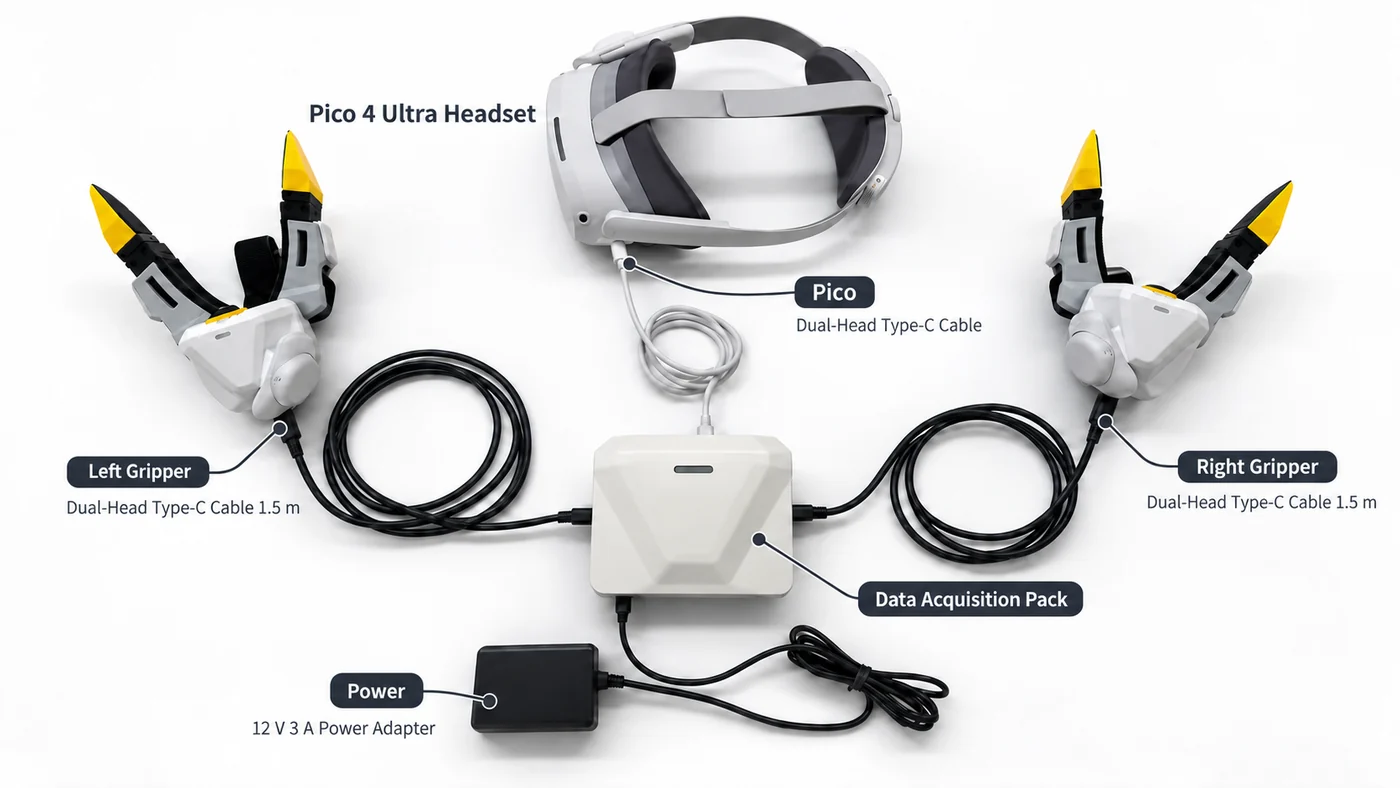
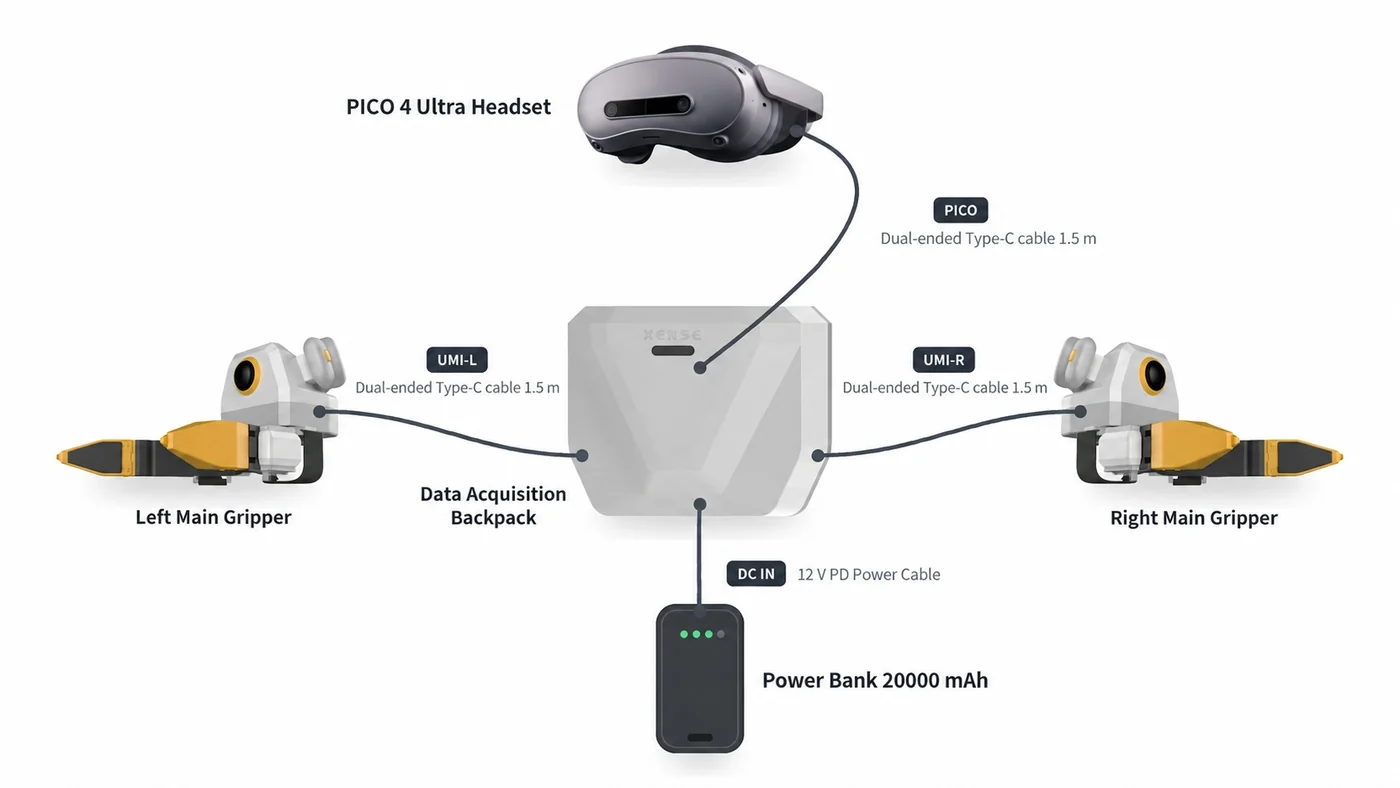
The wiring steps are in Adapter power and Power-bank power; the safety requirements for powering and unplugging in order are in The backpack and its power; opening the console is in Recommended: the tablet over USB, or use the backpack hotspot without a tablet.
| Item | Qty | Spec and notes |
|---|---|---|
| XTac UMI G1 leader gripper | 2 | One left and one right, told apart by the last digit of the serial number: odd is left, even is right |
| Leader gripper cable | 2 | Type-C to Type-A, USB 2.0, 3m; locking connector at the gripper end |
| Pico4 Ultra Enterprise headset | 1 | With controllers and trackers; the trackers mount on top of the two leader grippers |
| Tracker charging dock | 1 | Three-way |
| Headset cable | 1 | Type-C to Type-C, 1.5m, headset to the collection PC |
With the optional follower grippers you also get:
| Item | Qty | Spec and notes |
|---|---|---|
| XTac UMI G1 follower gripper | 2 | One left and one right, mounted on the robot's end effector |
| 24V power adapter | 2 | 24V 2.5A, 4.5m lead with ferrite, one per follower |
| Cable sleeve | 1 | 3m, for routing cables along the arm |
You supply the collection PC; the requirements are in Collection PC requirements. Three cables in total:
- Leader grippers × 2: a Type-C to USB-A cable from each gripper to a USB-A port on the collection PC; put the two grippers on two separate USB buses, see USB bandwidth budget.
- Headset × 1: a Type-C to Type-C cable to the collection PC, over wired network sharing, see Network connection.
The power-up order and your first collection run are in Developer Kit quickstart.
Common questions
Can data from the two editions be trained on together?
Yes. Both produce LeRobotDataset v3 and the same LeRobot tools read them; camera keys and field layout differ slightly, so compare each meta/info.json before merging.
Can the Backpack Kit be customized?
Only lightly: the collection software is not open source, so customization builds on the exported data, the upload configuration and the capture settings. To change the collection logic or connect your own robot, choose the open-source Developer Kit.
Does the Developer Kit need an NVIDIA GPU?
An NVIDIA GPU is recommended for real collection, see Collection PC requirements. It still records without one, but saving is slower and frames drop more easily, see Recording on a collection PC with no NVIDIA GPU.
Is the headset required?
On the Backpack Kit, yes: every capture mode takes its poses from the headset and trackers. On the Developer Kit you can record grippers only (tactile, wrist views, opening) without the headset.
Can a phone be the Backpack Kit console?
Yes. Tablets, phones and computers all open the console in a browser; how to connect is in Network and console access.
Does the Backpack Kit need internet access?
Not for collection; the backpack has its own hotspot. You only need a network to upload: ModelScope and S3 need internet access, while FTP / NFS on your LAN only need the same LAN.
Getting started and after-sales support
- Getting started: see the Backpack Kit quickstart or the Developer Kit quickstart.
- Missing or damaged items in the box: contact our after-sales team for a replacement; do not substitute other cables or power supplies.
- Problems in use: check the troubleshooting page for your edition first; if that does not solve it, contact our after-sales team with the device serial numbers and logs described in Support and feedback.