Quickstart
From power-on to your first recorded episode. Before you start, make sure the following five items are complete:
- Hardware connected → Leader gripper connection and use
- Environment installed and active (
mamba activate xense-taccapor the Docker container) → Installation - Collection PC configured: brltty removed, serial permissions, ModemManager kept off the ports (miss one and the gripper will not connect) → Host setup · Required on first use
- Every leader gripper calibrated (an uncalibrated leader is refused) → Gripper calibration (zero + travel)
- Repo, SDK and gripper firmware all up to date → You must upgrade to the latest versions
1. Power on and connect
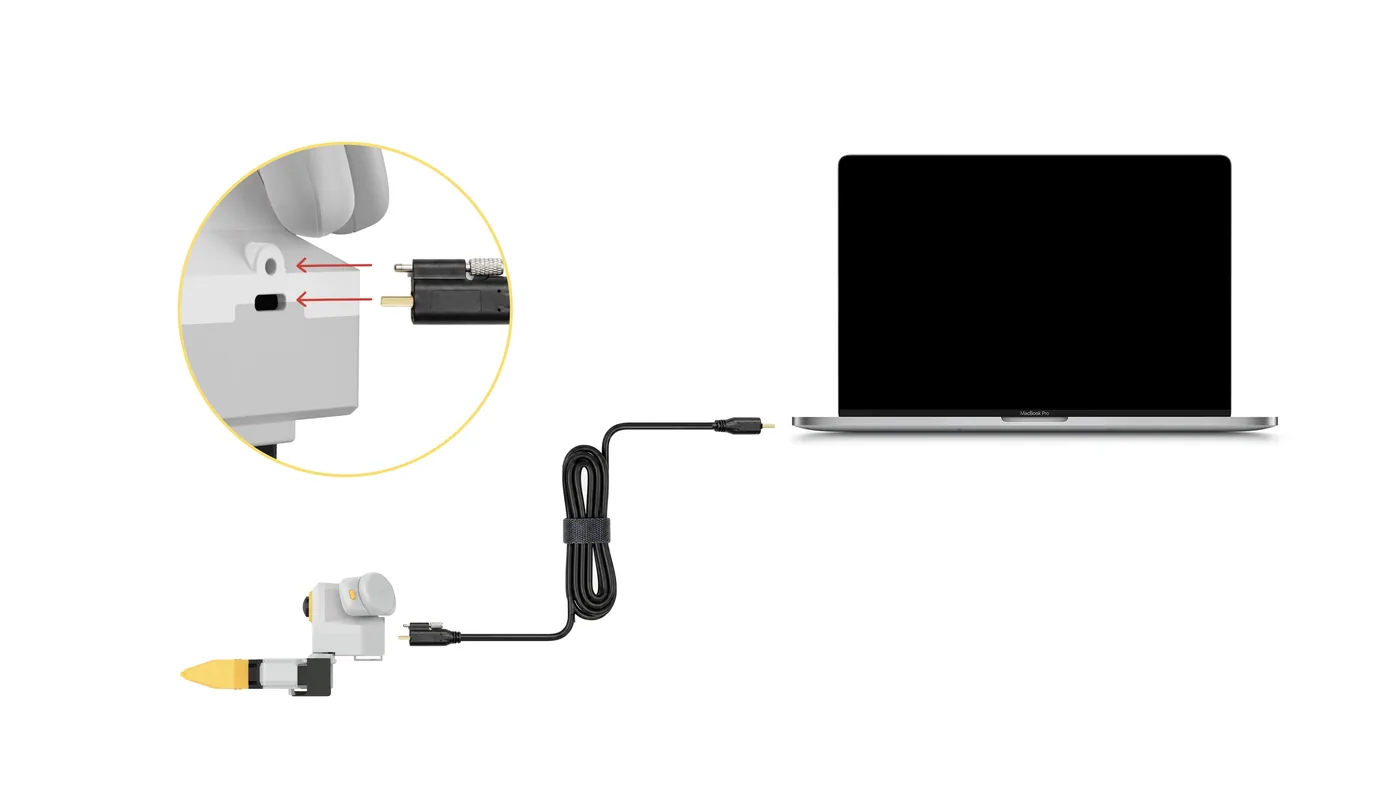
- Plug in the gripper USB.
- Connect the headset to the collection PC by cable and turn off the collection PC's Wi-Fi.
- Turn on the headset and short-press the tracker power button until the LED is solid blue.
- Start the XenseVR PC Service:
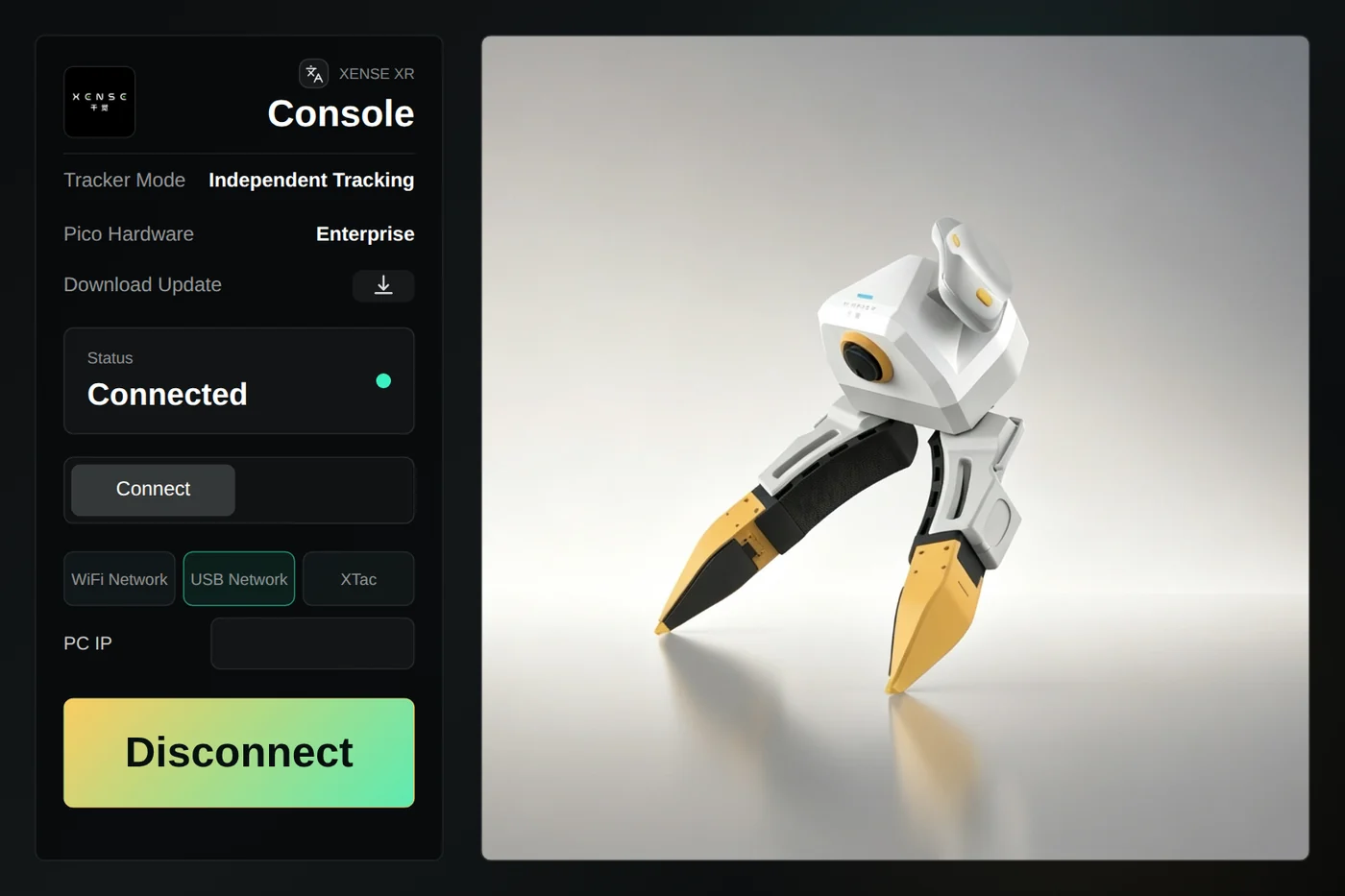
/opt/apps/roboticsservice/runService.sh - Facing the same direction as the robot, open XTac UMI XR, choose "USB Network" as the connection and tap "Connect"; Status changes to "Connected".
Three common mistakes
- Start the PC Service before opening the XR app, or it cannot connect.
- With a wired headset the collection PC's Wi-Fi must be off, or tracking is unstable. See Network connection.
- Do not restart the XR app during collection: it resets the world origin, so poses within one dataset stop lining up.
Power off in reverse: stop recording and let the current episode save, quit the XR app, stop the PC Service, then unplug, in the order given in Power and connection requirements.
2. Self-check
python -c "from xense.taccap import scan_grippers
for g in scan_grippers(): print(g.side.name, g.role.name, repr(g.firmware_sn))"
One line per gripper, role is Leader or Follower, and the serial is not empty. If not, see Troubleshooting.
3. Preview check
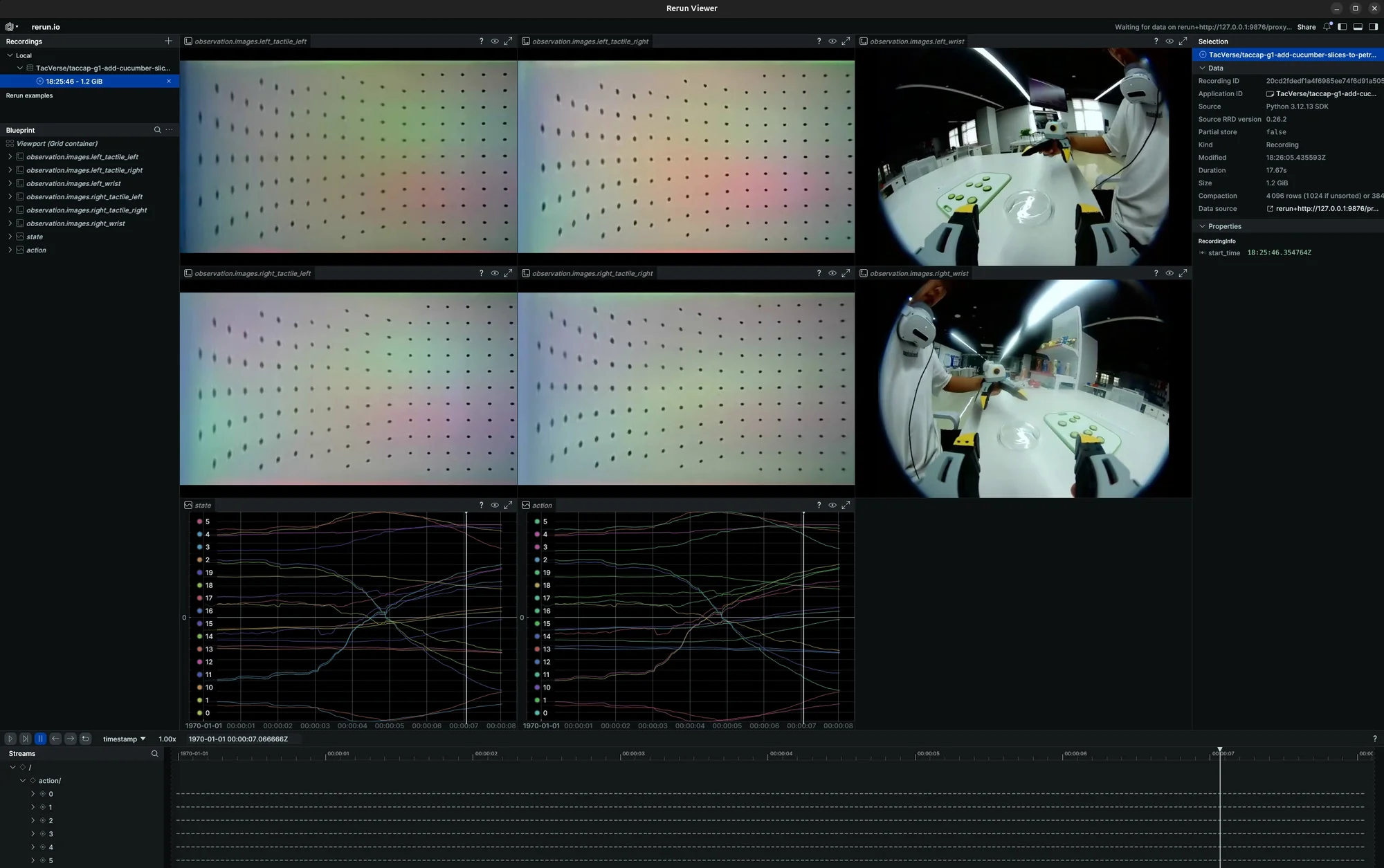
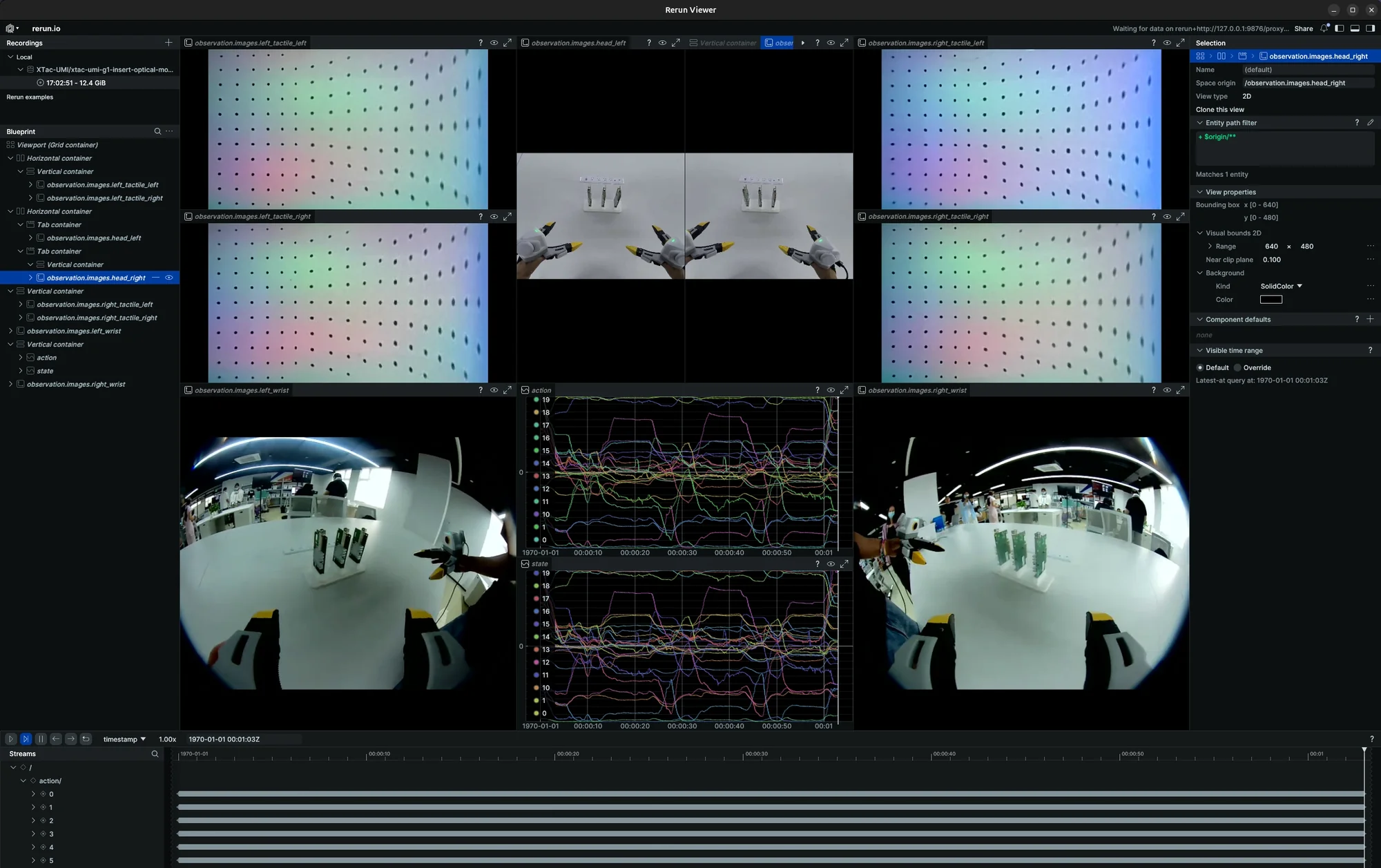
Move and open/close the grippers, check that every image, tactile stream and pose updates, then press Ctrl+C.
The tiers are chosen with --robot.type; record with the same tier you previewed:
| Tier | How | Data included |
|---|---|---|
| ① Grippers only | --robot.type=bi_taccap_gripper--robot.enable_tracker=false |
Tactile, wrist cameras, gripper opening; no PC Service needed |
| ② With wrist pose | --robot.type=bi_taccap_gripper |
Adds the gripper pose tcp.* |
| ③ Full setup | --robot.type=xtac_umi_g1 |
Adds headset stereo images and head pose |
Keep the trackers in the headset's view before starting; tracking is lost if they are occluded.
4. Full recording
lerobot-record \
    --robot.type=bi_taccap_gripper \
    --robot.id=0 \
    --dataset.repo_id=<your_org>/<dataset_name> \
    --dataset.single_task='Pick up the object' \
    --dataset.num_episodes=1 \
    --dataset.fps=30 \
    --dataset.episode_time_s=120 \
    --dataset.reset_time_s=60 \
    --dataset.push_to_hub=false
Each frame records 6 image streams (four visuotactile, both wrist cameras), plus gripper opening and gripper pose.
lerobot-record \
    --robot.type=xtac_umi_g1 \
    --robot.id=0 \
    --dataset.repo_id=<your_org>/<dataset_name> \
    --dataset.single_task='Pick up the object' \
    --dataset.num_episodes=1 \
    --dataset.fps=30 \
    --dataset.episode_time_s=120 \
    --dataset.reset_time_s=60 \
    --dataset.push_to_hub=false
Each frame records 8 image streams, adding the headset stereo pair, plus the head pose:
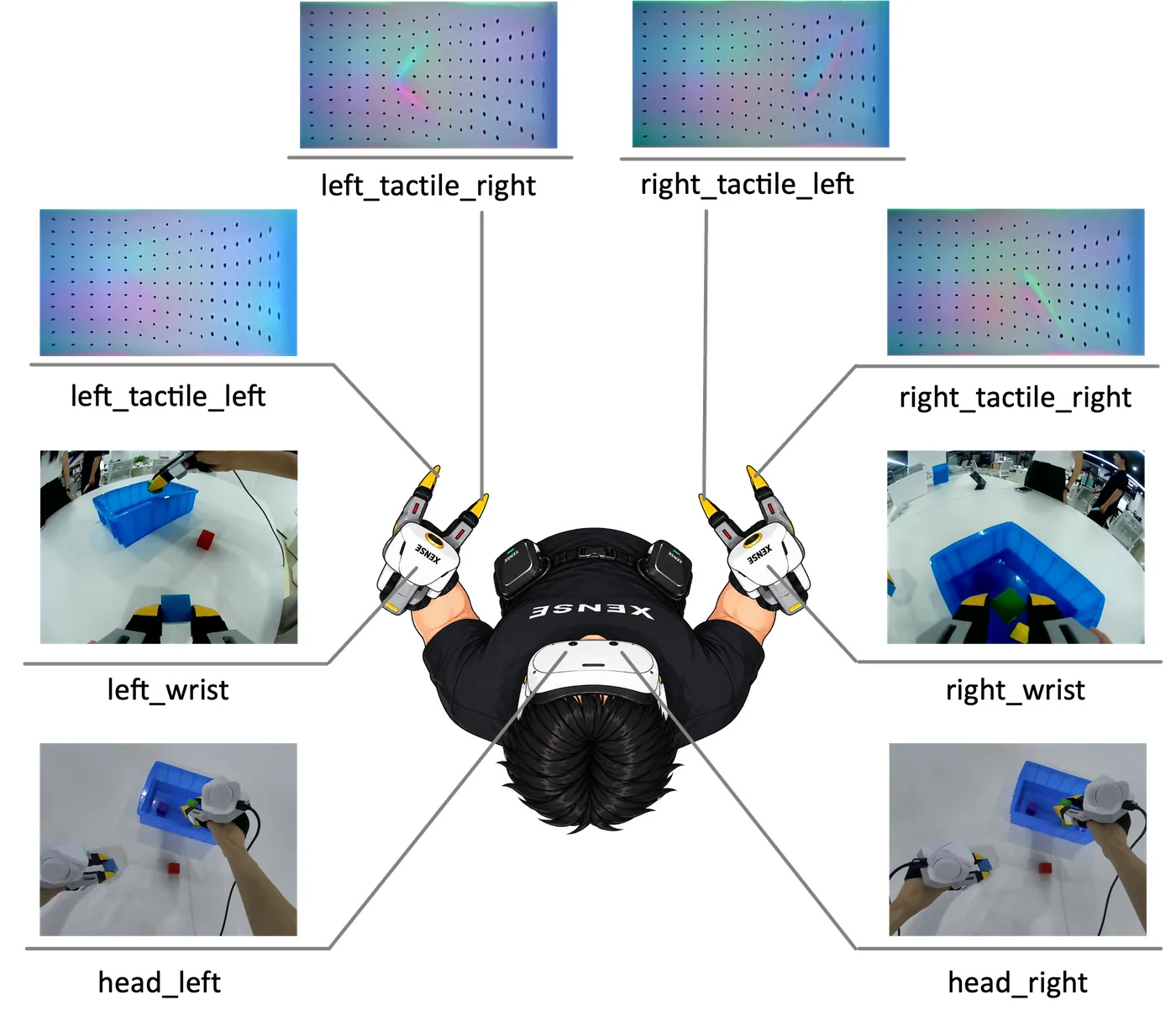
--robot.idis required: the station number as a plain number (0,1, …), one per setup.- Keep
--robot.type(and whether you add--robot.enable_tracker=false) the same as in the preview; for grippers only, add that switch to the ② command. - Single gripper:
--robot.type=taccap_gripper; with both grippers plugged in, add--robot.side=leftorright.
All parameters: Data collection · Parameters.
5. Check and upload
Check the dataset:
Upload to the Hugging Face Hub when needed:
lerobot-push-dataset-to-hub \
    --repo-id <your_org>/<dataset_name> \
    --dataset-path ~/.cache/huggingface/lerobot/<your_org>/<dataset_name> \
    --upload-large-folder
Dataset layout and fields: Dataset.